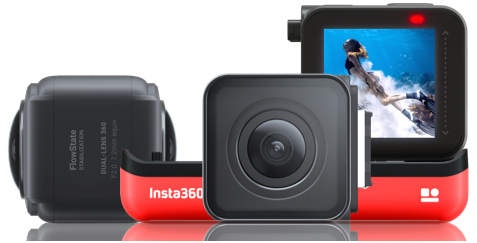
How to set Loop Recording mode on the Insta360 One R Edition
Authored by: Support.com Tech Pro Team
1. Introduction
This Guide will help you set Loop Recording mode on Insta360 One R edition.
The Insta360 One R is a modular action and 360 camera that snaps together like Lego bricks. It allows users to choose between three cameras or mods, depending on the most important features. A '1-Inch Edition' ($550) uses a large 1"-type sensor, features a Leica-branded lens, and captures 5.3K video and 19MP images, a '360 Edition' ($430) captures 5.7K spherical video, and a '4K Edition' ($300) includes a 12MP sensor that shoots 4K video
2. What is Loop recording
Loop Recording
Loop Recording mode allows you to set a loop duration of 1, 3, 5, 10, 15, 20, 25 or 30 minutes. After recording the specified duration, the earliest recorded content will be deleted and continuously overwritten. For example, if you select a loop duration of 5 minutes and shoot for a total of 30 minutes, only the last 5-6 minutes of shooting will be saved. This mode is great for scenarios where you’re waiting for something, but you’re not sure when it will happen. The camera’s storage won’t fill up while you wait and you’ll only have the best bit at the end.
3. Set Loop Recording
How to set Loop Recording mode
Tap the lower left corner of the screen to enter the shooting mode selection page
Select video and swipe down to Loop Recording mode
Click the lower right corner of the screen to modify the resolution/frame rate/loop duration of the loop recording
Shooting parameters: When loop recording with the 4K and 1-Inch mods, Pro Video mode does not support 4K 60fps. The rest of the shooting parameters for the 4K and 1-Inch mods and all shooting parameters for the 360 mod are supported.
Storage and segmentation: No matter the loop duration, the loop-recorded video will be segmented according to the rule of 1min/segment. For example, if a loop duration of 5 minutes is set, the camera will record five 1-minute segments. The sixth-minute segment will overwrite the first-minute segment, the seventh-minute will overwrite the second-minute, and so on. But if the sixth-minute segment does not record for a full minute, the first segment will not be overwritten. You will get five 1-minute videos and one video of less than 1 min.
Exporting: In the Insta360 app, loop-recorded video segments will be automatically merged into one video and exported. In Studio, if some segmented videos are missing from the imported loop-recorded video segments, the imported videos can only be exported separately. If the imported loop-recorded video segment is complete, the segments can be merged into one video and exported.
Remove Hidden Spyware In Minutes For Free
Detect and remove spyware, keyloggers, tracking cookies, and other
threats that slow down your PC or steal your data.
65+ Million Downloads
Spyware scanner with AI-powered detection engine + database
.png)